Recording
Settings under "Functions" > "Recording."
The values from sensors and actuators can be logged over the long term in a file stored on the device. This log serves as the basis for analysis on this device. The file can also be downloaded as a CSV file and further processed on a PC using various programs. Approximately 4 GB of flash memory is available on the device for the data. A new file with a new name (Year_Month.csv) is automatically created each month. Existing files are not automatically deleted.
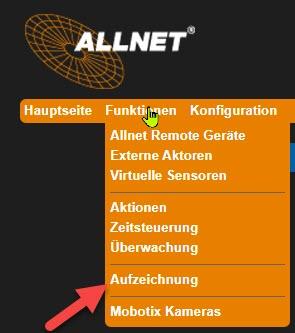
Please note the differences in the recording.
"Interval Recording":
The value averaged over the set time period (interval) is recorded
"Timestamp":
The current value is recorded at the set time interval.
"Interval Recording" tab The value recorded is the average over the set time period (interval)
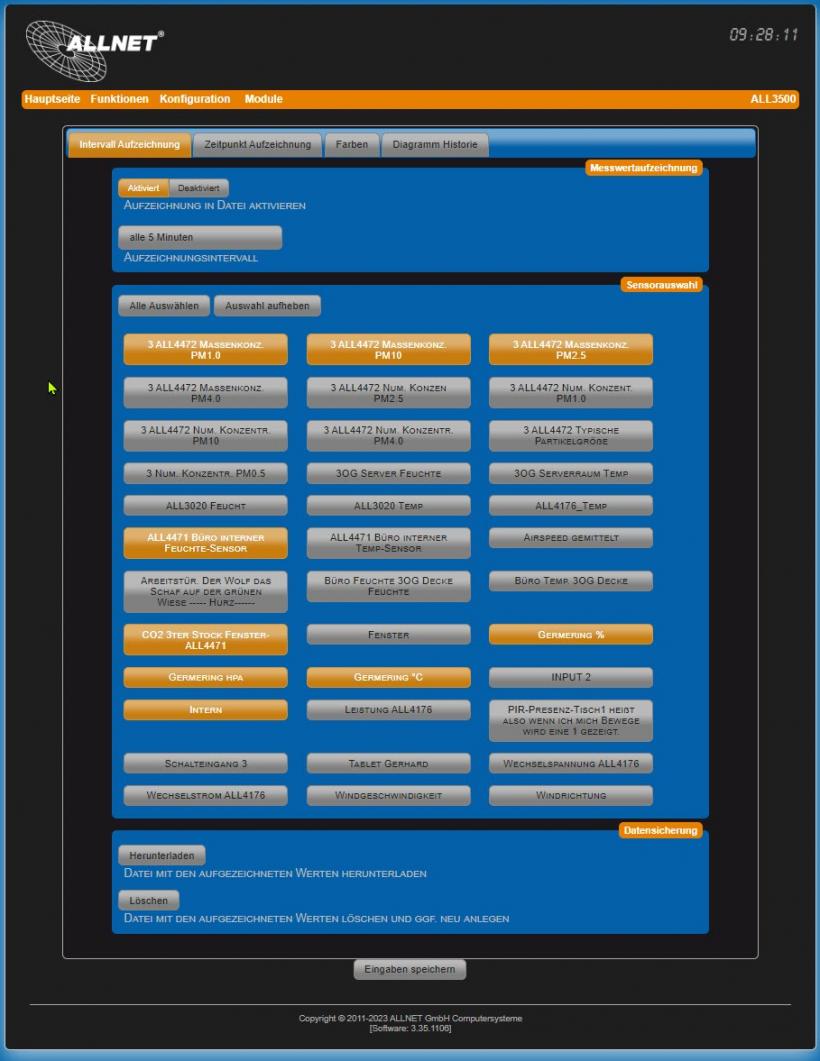
• Enable recording to file Default = Disabled. Enable to record.
• Recording interval Default = 5 minutes. The value is averaged over the set time interval and saved (see 7.6.2).
• Sensor Selection **Select the sensors whose data you want to save to the file. Click the "Select All" button to select all sensors, and click "Deselect" to deselect them.
• Download Download the file containing the displayed values. Enter the URL in the following format: http://ipadresse/data/
• Delete Delete existing files. Please note: You can only delete all files at once!
"Recording Time" tab: The current value is recorded at the set time interval

• Enable recording to file
Default = Disabled. Enable to record.
• Recording interval
Default = 5 minutes. The current value is saved at the set time interval.
• Sensor Selection
Select the sensors whose data you want to save to the file. Click the "Select All" button to select all sensors, and click "Deselect All" to deselect all sensors.
• Download
Download the file containing the displayed values. Enter the URL in the following format: http://ipadresse/data/pm
• Delete
Delete existing files. Please note: You can only delete all files at once!
"Energy Log" tab

• Enable recording to file
Default = Disabled. Enable to record.
• Recording interval
Default = over 5 minutes. The value is calculated and saved over the set time interval.
• Sensor Selection
Select the sensors whose data you want to record in the "Energy" unit. Click the "Select All" button to select all sensors (if there are multiple) and the "Deselect All" button to deselect all sensors.
• Download
Download the file containing the displayed values. Enter the URL in the following format: http://ipadresse/data/el
• Delete
Delete existing files. Please note: You can only delete all files at once!
"Colors" tab
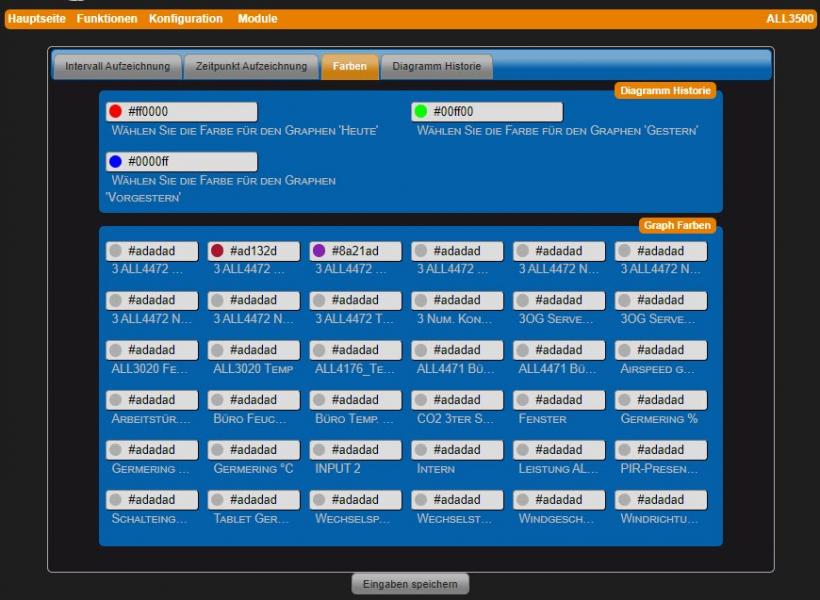
• Select the color for the "Today" graph ** Color for the graph for the current day. Default: #ff0000 (red).
• Select the color for the "Yesterday" graph ** Color for yesterday's graph. Default: #00ff00 (green).
• Select the color for the "The day before yesterday" graph Color for the graph from the day before yesterday. Default: #0000ff (blue).
• Graph Colors A color can be defined for each sensor value. Default for all sensors: #adadad (gray).
"History Chart" tab
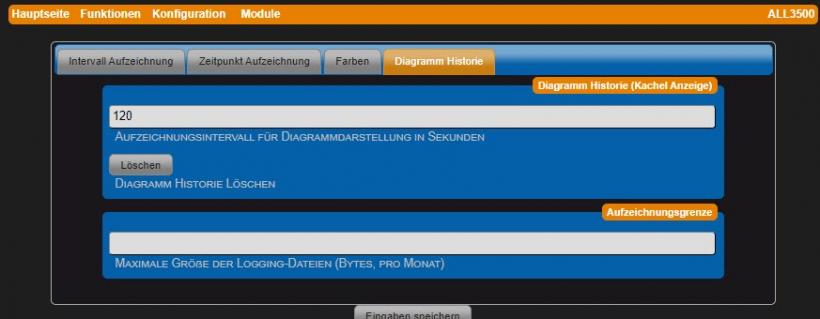
• Recording interval for chart display… ** Recording interval for graph display in seconds. Default: 240 seconds. • Delete
• Delete
Delete chart history.
• Maximum size of logging files (bytes, per month)
Maximum size per log file in bytes. Debug output from the device daemons is saved monthly in a file (e.g., 201701.log, 201702.log, …). Default: 150,000 bytes.
"Access Protection" tab
Restrict access to files located in the /data directory.

• Password
Enter your password.
• Username
Enter your username.